If you searched for something like “app that blocks apps until you walk”, you already know the problem: you can install any app blocker you want, and two weeks later you have either disabled it or learned to tap around it. The missing piece is not a stronger lock. It is a reason to put the phone down that gives you something back.
Why normal app blockers stop working
Most blockers rely on friction alone. They delay the app opening, show you a breathing exercise, or ask if you are sure. That works for a while, then the friction becomes part of the ritual. You tap through the pause screen the same way you swipe away cookie banners. The block has no cost, so overriding it becomes automatic. We wrote about this pattern in more depth in how to break screen addiction when willpower isn’t enough.
The other failure mode is the hard lock. Total blocks feel great on day one and unbearable on day four, usually right up until you uninstall the whole thing.
What “blocked until you walk” actually means
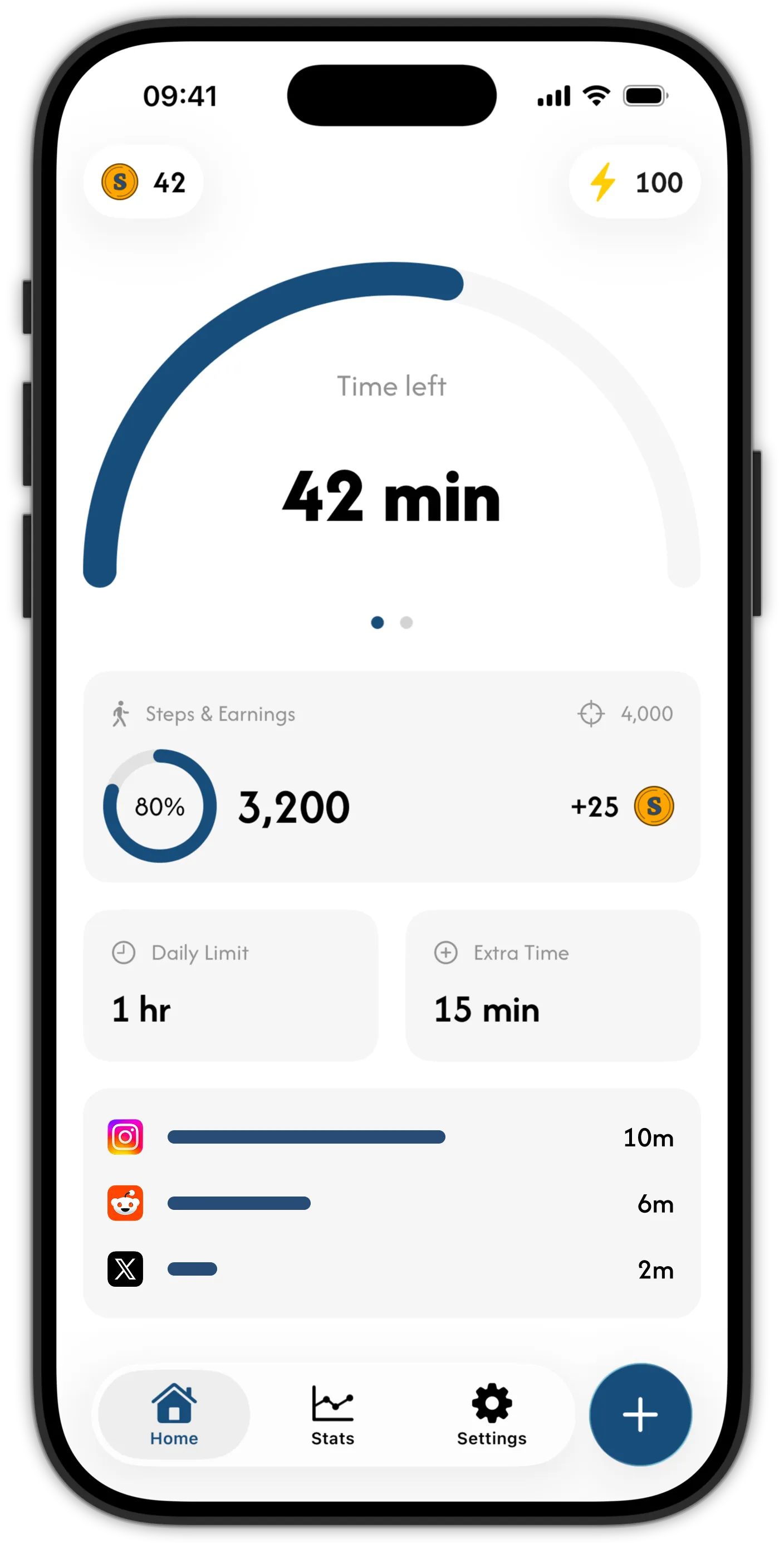
Skrid takes a different route. You set a daily screen time limit and choose which apps it covers. Under the limit, your apps open normally. At the limit, they get blocked through Apple’s Screen Time framework, which enforces at the system level.
Here is the part that makes it stick: every step you take earns coins, and coins are the only way to buy extra minutes. There is no ignore button and no free override. The path back into TikTok runs through a walk, and after the walk you still get to decide whether the minutes are worth the coins. The full mechanic, including the energy system that rewards daily consistency, is explained in how walking to earn screen time works in practice.
The walk does the real work
The blocking gets you to stop scrolling. The walking is what changes the habit. When the block lands and you head out to earn coins, two things happen. You get the movement your day was missing, and the urge that sent you to your phone usually fades before you are back home. The evidence on walking and mood suggests this is not a coincidence: a short walk is one of the most reliable ways to take the edge off the restlessness that drives scrolling in the first place.
Over time you start taking the walk before the block even hits, because your coin balance became something you like watching grow.
How Skrid compares to fixed step goals
Some apps in this space unlock your apps once you hit a fixed step goal, or convert a fixed batch of steps into a minute of access. Skrid works on a currency instead: steps earn coins continuously, coins buy minutes whenever you choose. On top of that sits an energy system that pays you better when you hit your step goal every day and worse when you cram it all into the weekend. Consistency literally earns a better exchange rate.
Setting up the block
- Get Skrid free on the App Store (iOS 26 or later).
- Set a daily limit for your distracting apps, for example one hour.
- Pick the apps, categories, and websites to block. Nothing is blocked until you choose it.
- Set a daily step goal you can hit on a normal day.
- When the block lands, walk to earn coins, then decide if you want to spend them.
Skrid never sees what you do inside your apps. The blocking is Apple’s own Screen Time framework, and you can change or remove the setup anytime. Tightening your limits is always free, loosening them costs coins.